Before the AI goes live
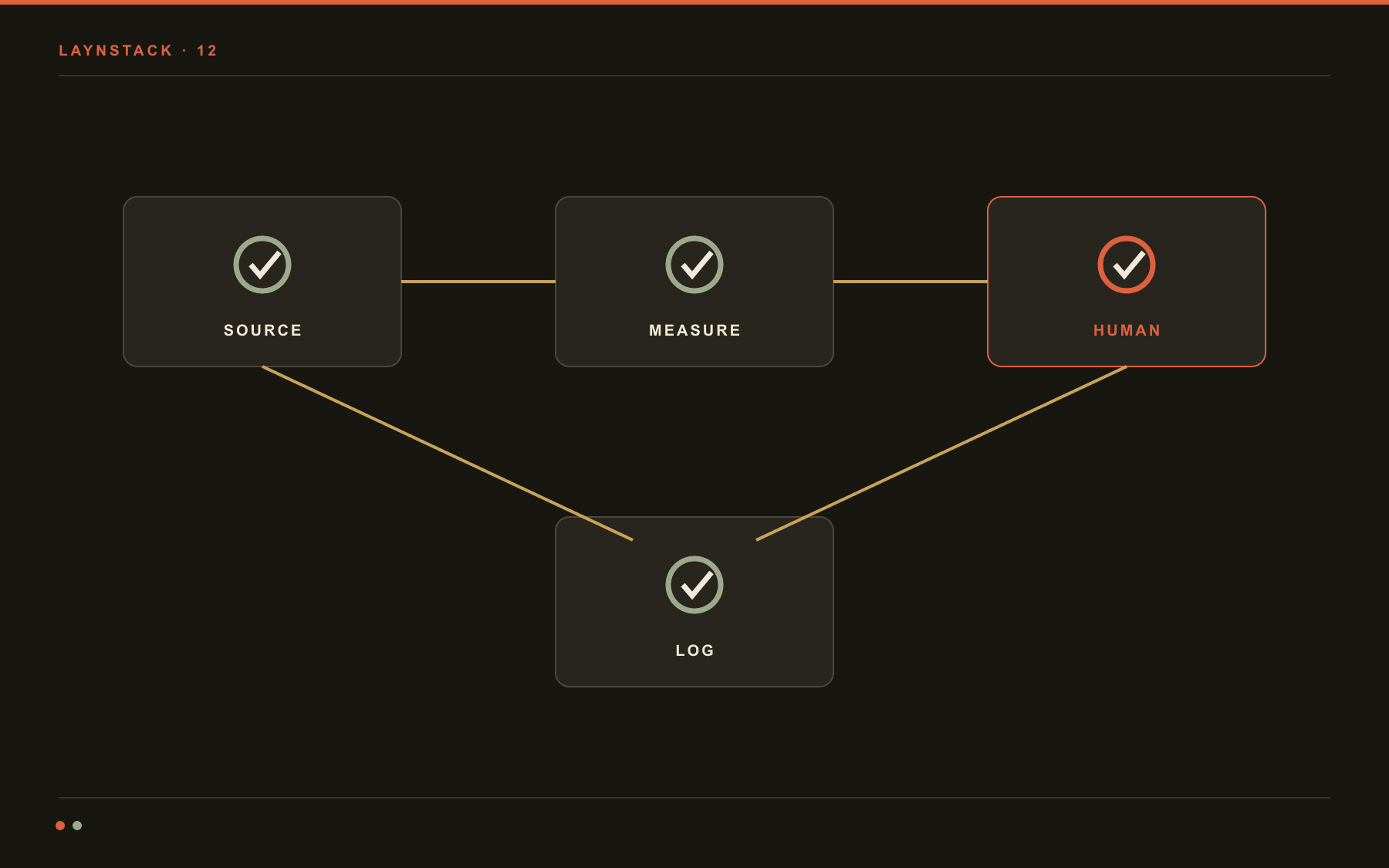
Most companies running AI do not need a two-hundred-page summary of the regulation. They need a short list they can finish in an afternoon: what the system does, whose name is on it, what gets written down, and who can switch it off. This is the list we fill in before our own systems go live.
Why this list exists
Compliance conversations usually start in the wrong place: with the text of the law. In practice a company can stand behind almost any system it runs if four things are written down.
What the system does, what data it touches, who owns it, and what happens when it gets something wrong. Without those four on paper, the rest of the discussion is theatre.
This is not legal advice. In a genuinely high-risk area you will be working with a lawyer, and there is no shortcut around it. But filling the list in first turns a half-day meeting into a half-hour one: most of what the lawyer asks is already on the page.
Size the work honestly at the start: an afternoon for a small internal assistant, a few weeks for anything that touches a hiring or lending decision. Knowing which one you have is the first job on the list.
Put the system in the right box
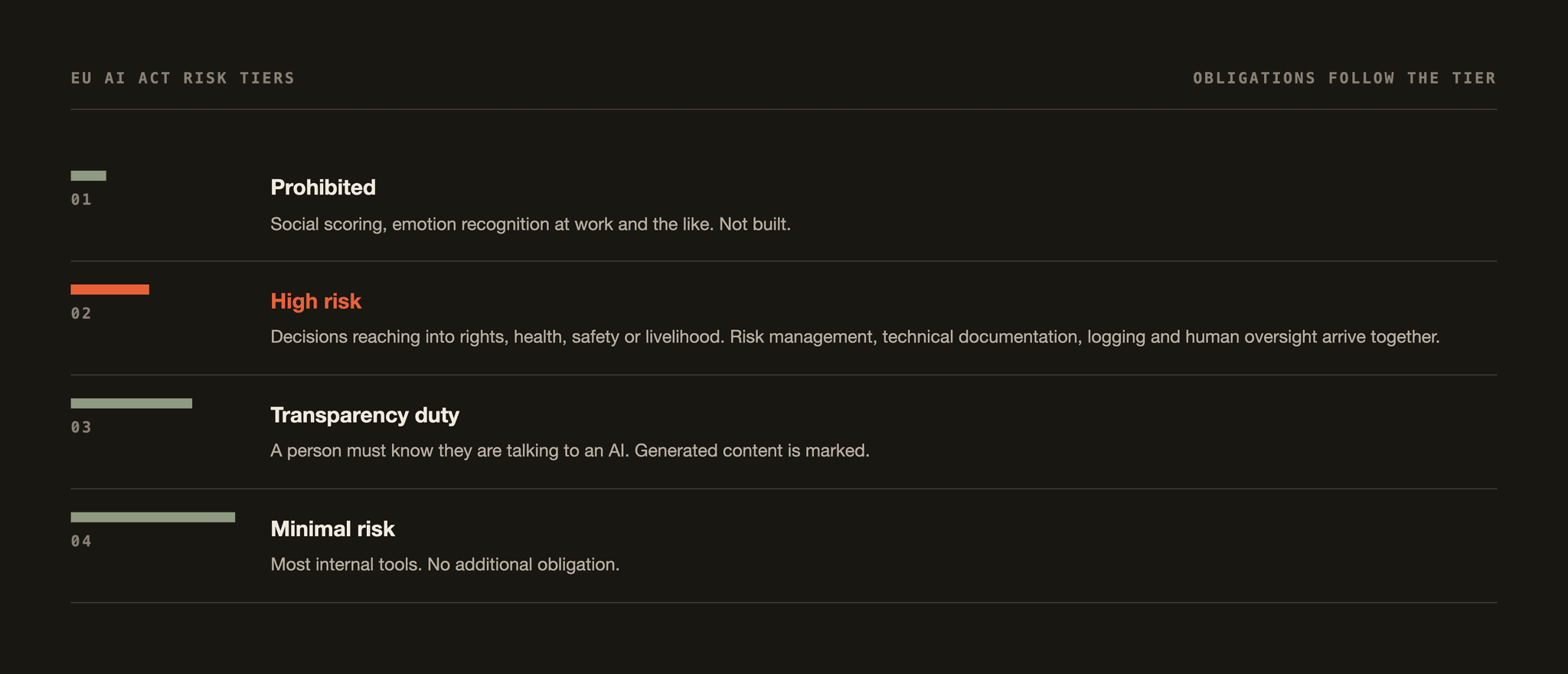
The AI Act sorts systems by risk, and every obligation follows from that sorting. Pick the wrong box and the rest of your preparation protects nothing.
- Prohibited
- Emotion recognition at work or in schools, social scoring, systems that target a person's vulnerability. There is no compliance route here; the product idea has to change.
- High risk
- Hiring, credit and insurance assessment, educational scoring, critical infrastructure, biometric identification. Technical file, logging, human oversight and incident reporting are all mandatory.
- Transparency duty
- Assistants that talk to customers, generated text, images and audio. The rule fits in one sentence: the person on the other end must know they are dealing with a machine.
- Minimal risk
- Most systems that read invoices, forecast stock or search an internal archive. The legal load is light; the internal discipline is still in your own interest.
The expensive mistake is assuming you are in the last box. A scoring rule that ranks CVs moves into the second box the moment its output feeds a hiring decision. A small model, hand-written rules or a human signing off at the end do not change that: what sets the box is who the decision lands on.
A second distinction matters more for most companies: did you build the system, or are you running someone else's?
A ready-made assistant pointed at your own data does not make you its provider, but the deployer duties still land on you: right purpose, staff told, output supervised, provider terms respected. Assuming the vendor absorbed the responsibility is the mistake we see most.
Write down what is actually running
Most compliance work stalls on step one, because companies do not know how many AI systems they run. A writing tool marketing bought, a spreadsheet add-in finance wired up, a chatbot support is trialling: all three belong in the inventory. Five fields per row.
- The name of the system and its business owner. A person, not a department.
- Which model, from which provider, running in which region.
- What goes in; and which screen, file or customer the output lands on.
- Whether it decides or drafts. That distinction sets every line below it.
- How the work gets done if it is switched off today. No answer means a bigger dependency than you thought.
Keep it in a table, not a slide. Past about fifteen rows nobody remembers who is running what, and you cannot supervise a system you have forgotten about.
The fastest way to build it is not a survey, it is the invoices. Six months of subscriptions and card charges surface most of what teams bought on their own. The rest comes out of one question: which tool made your week easier? People answer honestly as long as nothing is being banned.
Where the data came from, where it goes
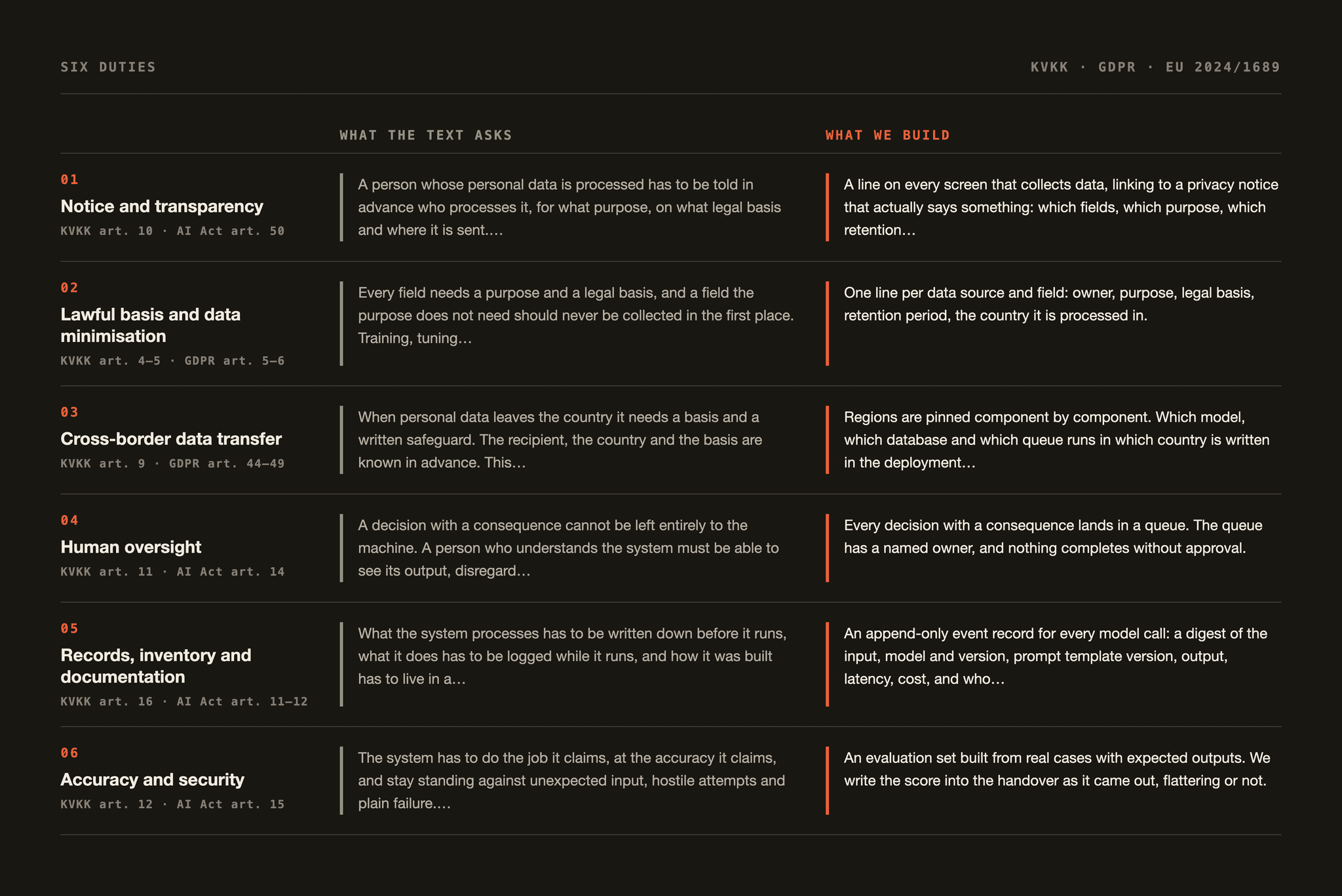
Two questions, both simple. What is your basis for processing this data? And where does it go once it leaves you?
The first is the GDPR side: if you process a customer record to perform a contract, using that record to train or evaluate a model needs its own basis. The second is the provider side.
Are prompts retained, for how long, are they used to train the provider's models, and in which country does the data sit? If the contract answers all four you are fine. If not, you have an assumption, not an answer.
A practical rule: trim personal data before it reaches the model. Finding the risky clause in a contract does not require the counterparty's ID number. Masking fields at the boundary protects more than a twenty-page policy written afterwards.
A third question gets remembered too late: deletion. When a customer asks to be removed, does the record leave only the database, or is it still in the prompt logs, the cache and the index where the embeddings live?
Vector indexes are the spot people forget. Write the deletion path in week one; bolting it on later means rebuilding the data model.
Where exactly the human stands
Written as a sentence, human oversight is easy to agree with: a person makes the final call. For the oversight to be real, three things have to be concrete.
- Which screen. Oversight has to happen somewhere a person actually sees the output, not in a background queue nobody opens.
- Which information. The person deciding should see what the model relied on: the document it quoted, the confidence score, the flag for a missing field.
- Which authority. Is rejecting genuinely possible, or does it take ten times longer than approving? If it is the second, the oversight exists on paper only.
Then an honest question: how many outputs does that person approve in a day? Someone signing off four hundred line items in eight hours is clicking, not supervising. Two fixes keep oversight real: cut the volume, or send only below-threshold output to a human.
Training the reviewer belongs to this line too. Ten minutes covers it: what the model is good at, where it typically slips, and when to stop and ask. Teams that skip those ten minutes watch oversight turn into rubber-stamping within a week.
What you tell the person on the other end
The transparency duty is easier than it looks. Someone talking to a machine should know it, and generated content should be labelled. The hard part is doing it in a plain sentence rather than an apology.
The version that works: in its first message the assistant says what it is, names in one sentence what it can do, and shows how to reach a person. Three lines. Not a grey eight-point note at the foot of the page, which nobody reads and which defends nothing.
The same discipline applies internally. If a model wrote the first draft of a report, say so in the report. Where that is hidden, six months later nobody knows where a number came from, and unpicking it costs more than the disclosure would have.
There is also something not to say: implying the system can do what it cannot. Legal risk aside, after the first wrong answer trust takes months to win back. Assistants that state their limits collect fewer complaints.
The week before launch
We walk this list end to end before anything goes live. If a single line is still open, the date moves. Bending that rule feels good for a week and costs more for a year.
- 01The risk box is decided, with one paragraph of reasoning written down.
- 02The inventory row is filled in and a person is named as business owner.
- 03The personal data fields in play are listed, and the unnecessary ones removed from the input.
- 04The provider contract states retention, training use and data region explicitly.
- 05Model and prompt template versions are pinned, and the live version is visible on screen.
- 06Inputs and outputs are logged, retention is set, and the logs are searchable.
- 07Human oversight is written down: which screen, which information, which authority.
- 08A confidence threshold is set and the destination for below-threshold output is defined.
- 09The disclosure text shown to users is written and sits somewhere visible in the interface.
- 10The fallback path for a model that fails or answers nonsense has been tested.
- 11There is a way to report a wrong output, and reports land with a named person.
- 12One person can switch the system off, and the switch has been used at least once.
The twelfth line reads like a joke and is the one most often skipped. If the ability to stop a system is spread across three teams, the system cannot be stopped.
The work starts after launch
Compliance is maintenance, not a deliverable. Models get updated, providers quietly change behaviour, and your own data drifts with the season. A classifier that was right six months ago may be wrong today, and it will not tell you. The danger is not the error – it is the silence.
Half an hour a month covers it. Read fifty random outputs from the logs. Look at the share a human corrected. Skim the provider's release notes. Check for a new inventory row. Those four steps protect more than the annual audit scramble.
Keep the file somewhere alive. Inventory, risk reasoning, provider terms and disclosure text in one folder, with a visible last-updated date. A company that can open it when asked clears a review in a day; one that cannot spends three weeks in the archive.