Software development
We build the software your business runs on.
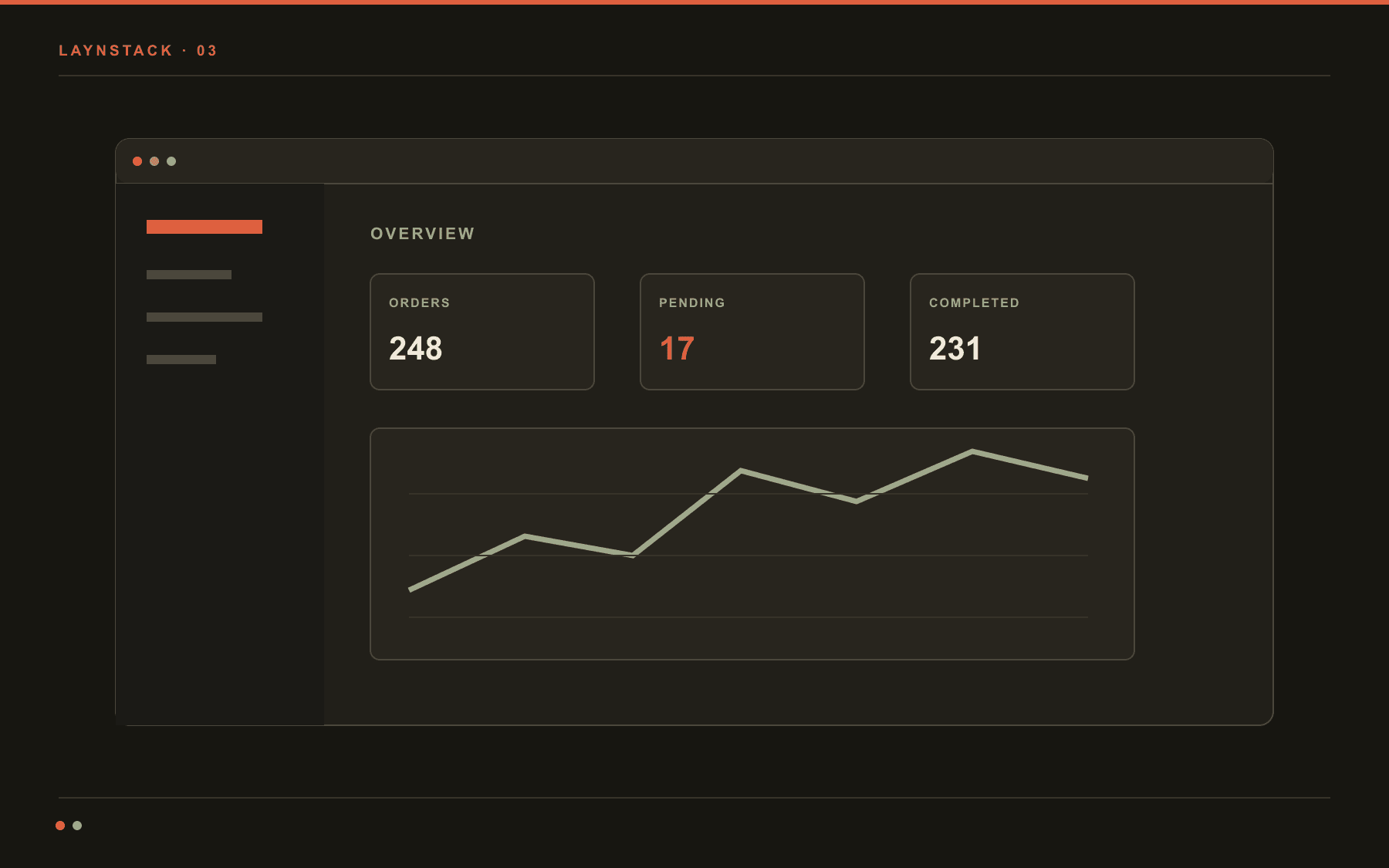
This service works at three scales: a corporate website, dashboard development for the panel your customers open every day, and an internal system that carries one workflow end to end. Custom software means building the thing a business actually runs on rather than the thing that demos well. Once the system is live we can take over the repetitive work inside it too, because we are the ones who built it.
Building from scratch is not always the right answer. If an off-the-shelf product covers you, we say so on the first call. Custom software only pays off when the process really is specific to you.
- Typical span
- 2–6 weeks
- First prototype
- 3–5 days
- Stack
- TypeScript, Postgres
- Ownership
- The repo is yours from day one
What we commit to on the software side
- 3–5days
- To a first running buildNot a clickable mockup: something you try on your own data
- 2–6weeks
- To productionThe narrowest useful version ships first
- 4weeks
- Longest work packageBigger systems are cut into packages, not stretched
- 100%
- Code and data yoursRepository, servers and backups in your name
- 0
- Vendor lock-inPlain Postgres, plain containers
Websites, dashboard development, internal tools.
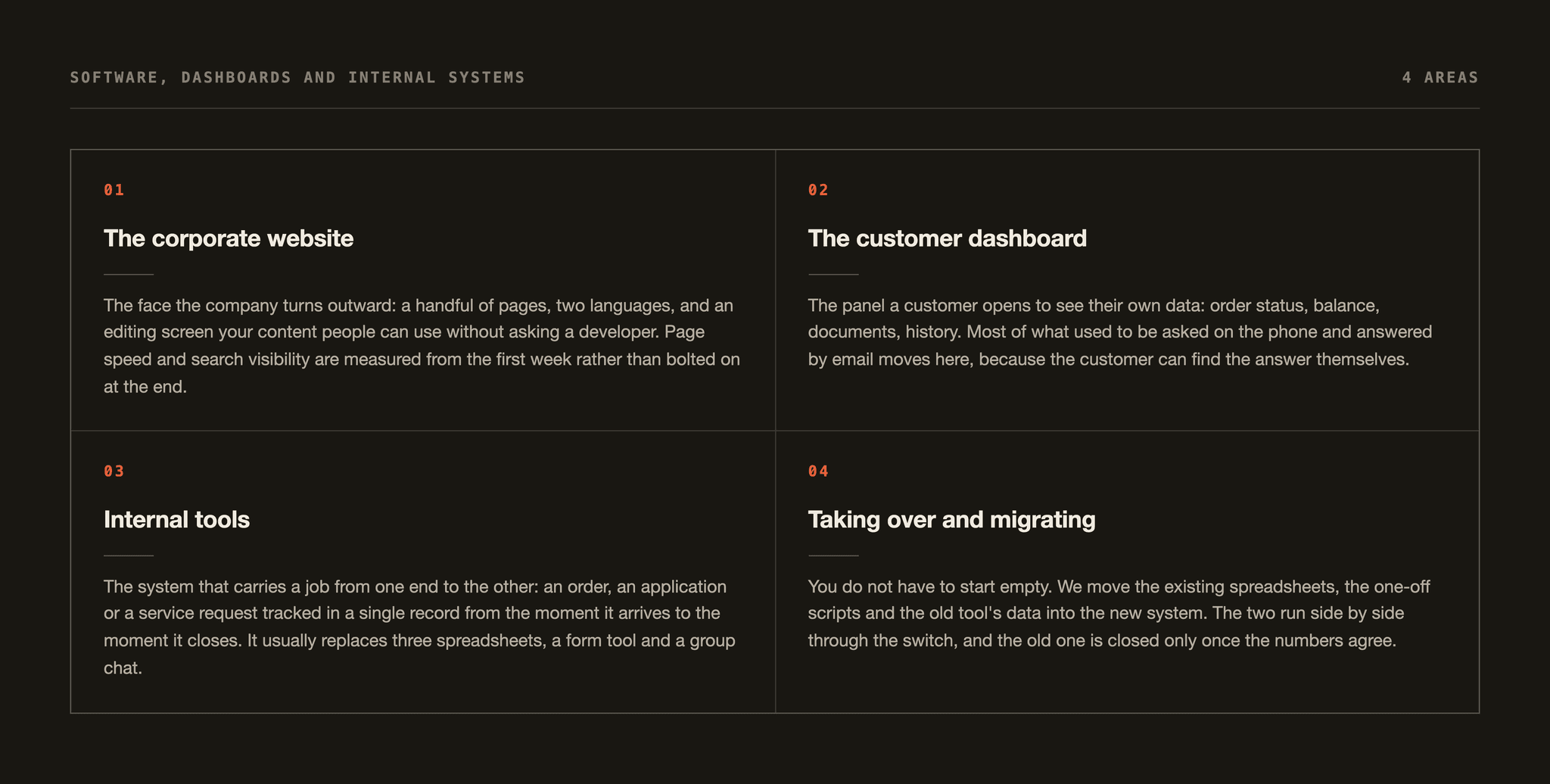
Four kinds of work turn up, and most projects combine two of them. Which one we start with depends on where the work stalls today, and that is usually clear inside the first twenty minutes.
The corporate website
The face the company turns outward: a handful of pages, two languages, and an editing screen your content people can use without asking a developer. Page speed and search visibility are measured from the first week rather than bolted on at the end.
- Bilingual content and an editing screen
- Quote, booking and application forms
- Page speed and search visibility measured
The customer dashboard
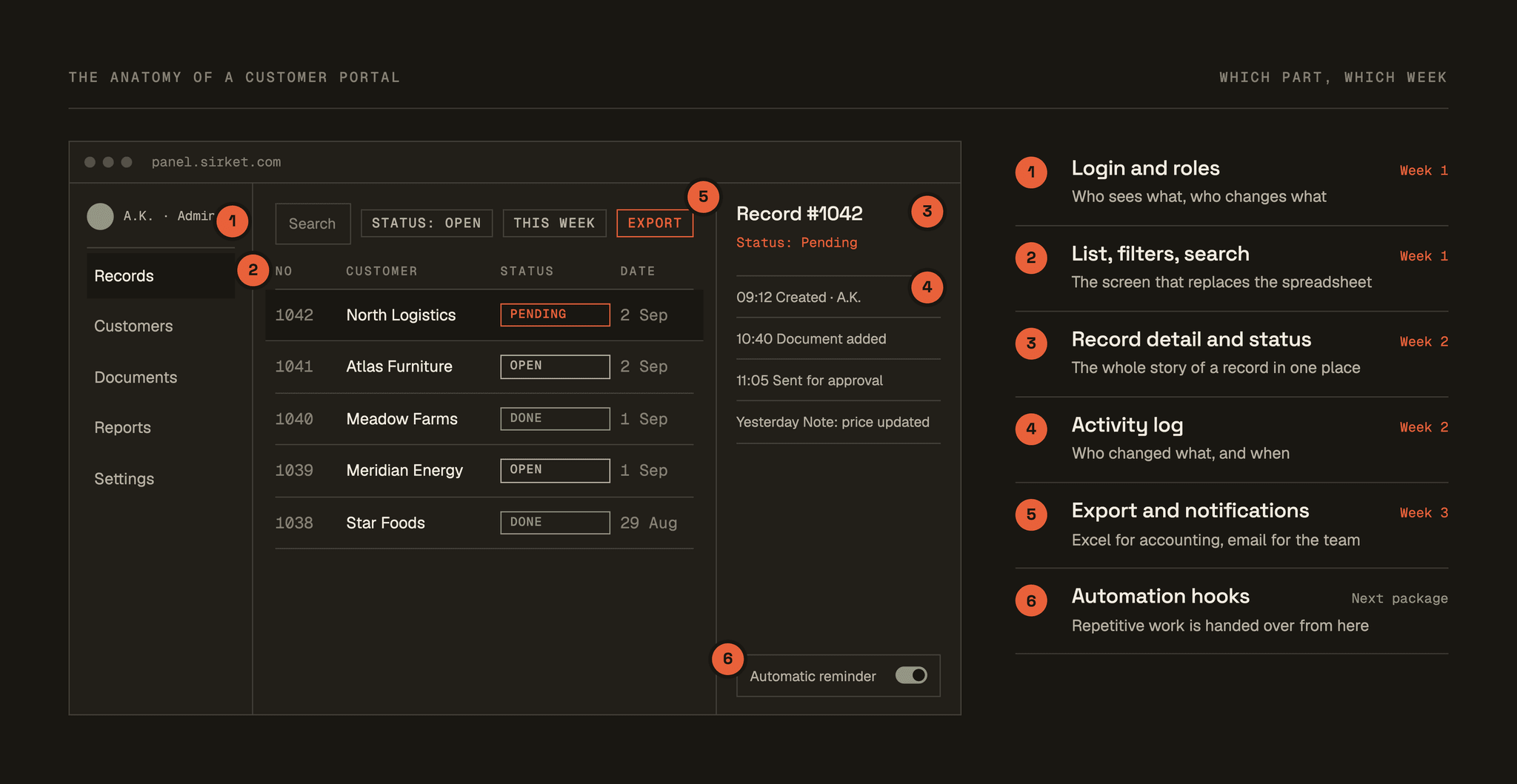
The panel a customer opens to see their own data: order status, balance, documents, history. Most of what used to be asked on the phone and answered by email moves here, because the customer can find the answer themselves.
- Outside users with their own accounts and roles
- Document upload and an approval flow
- List screens that work on a phone
Internal tools
The system that carries a job from one end to the other: an order, an application or a service request tracked in a single record from the moment it arrives to the moment it closes. It usually replaces three spreadsheets, a form tool and a group chat.
- One record, one status, full history
- Role-based permissions and an audit trail
- Bulk actions and export
Taking over and migrating
You do not have to start empty. We move the existing spreadsheets, the one-off scripts and the old tool's data into the new system. The two run side by side through the switch, and the old one is closed only once the numbers agree.
- Migration with a verification report
- A parallel run against the old system
- A written rollback plan
Five files into one system.
The table below is an illustrative summary of the starting point we meet most often on internal system work. On the left, each tool keeps its own version of the truth and the gaps are closed by hand. The single system on the right does the same job; the win is not the screen count but the one record in the middle.
Before – five separate places
- orders_2024.xlsxThree people editing at once
- Supplier inboxApprovals lost in email threads
- Form toolWarehouse intake forms living elsewhere
- Accounting softwareInvoice records keyed in by hand
- WhatsApp groupWhere the real status gets discussed
After – one system
Order system
- Order recordOne row, one status, full history
- Approval stepsWho approved what, and when
- Warehouse intakeThe same form, filled from a phone
- Accounting bridgeThe invoice entry writes itself
- NotificationsA status change reaches the right person
When five sources collapse into one record, “where is this order” becomes a search. There is a side effect too: repetitive work only becomes visible once there is a single record to look at. That is usually where the automation conversation starts.
You keep the keys.
Delivering software is not sending a zip file. The system has to run in your name, be changeable by your team, and stay up without us.
- 01Git + CI
Repository and pipeline
The code lives in your account from day one. Tests run on every merge; one command puts it live.
- 02Terraform / Docker Compose
Infrastructure as code
Servers, database, backups and DNS written down as code. Rebuilding the whole thing from zero is half a day's work.
- 03schema + notes
Data model and migration history
What each table means and why every schema change happened. You can take the data out as a standard dump whenever you want.
- 04end-to-end + unit
The test suite
End-to-end tests over the critical flows: creating a record, approving it, invoicing. They break before your customers do.
- 052 × 90 minutes
A manual and training
A short guide, screen by screen, plus two training sessions – enough for whoever joins the team six months from now, too.
- 06optional
The next package, optional
After handover two roads are open: your team carries maintenance, or we do on a flat monthly agreement. A third is open as well – automating the repetitive work inside the system that is now live, as a separate package.
Four questions.
What comes up most on a first call about the software side.
Both. The smallest job is a five-page corporate website; the largest is an internal system a team runs its day on, or a product sold on a subscription.
The method does not change with the size: we write down what the system has to carry, then ship the narrowest useful version. We do not turn a small site away for being small, and a fair share of referred work starts exactly there.
Often you shouldn't. If your process is standard, an off-the-shelf product is cheaper and faster, and we will say so on the first call. Custom starts to make sense at the point where you have spent months bending a product into your shape and still keep three spreadsheets on the side of it.
You do. The repository is opened in your account from the first commit, the servers are registered in your name, and you can take a database dump any day you like. The contract says ownership, not licence. If you want to continue with another team tomorrow, handover comes down to an access list.
No. The software side is a complete piece of work on its own and it is delivered that way. The difference is this: because the same team built the system, automating the repetitive work inside it needs no second discovery phase.
Normally that job is split across two suppliers and the second one has to learn the system first. The team that already knows where the data sits and which step is still manual can write the flow inside the system instead of around it.
Next step
Let's talk about what to build, or what to automate.
A free twenty-minute call. You will be talking directly to the technical team doing the work, not a salesperson. Bring a site, a dashboard, or a task your team repeats every week – if it is not worth building, we say so.
- Free · 20 minutes
- Directly with the technical team
- Reply within 1 working day